
Product/March 19, 2026
10 AI Product Photography Prompts That Work

SK
Co-founder
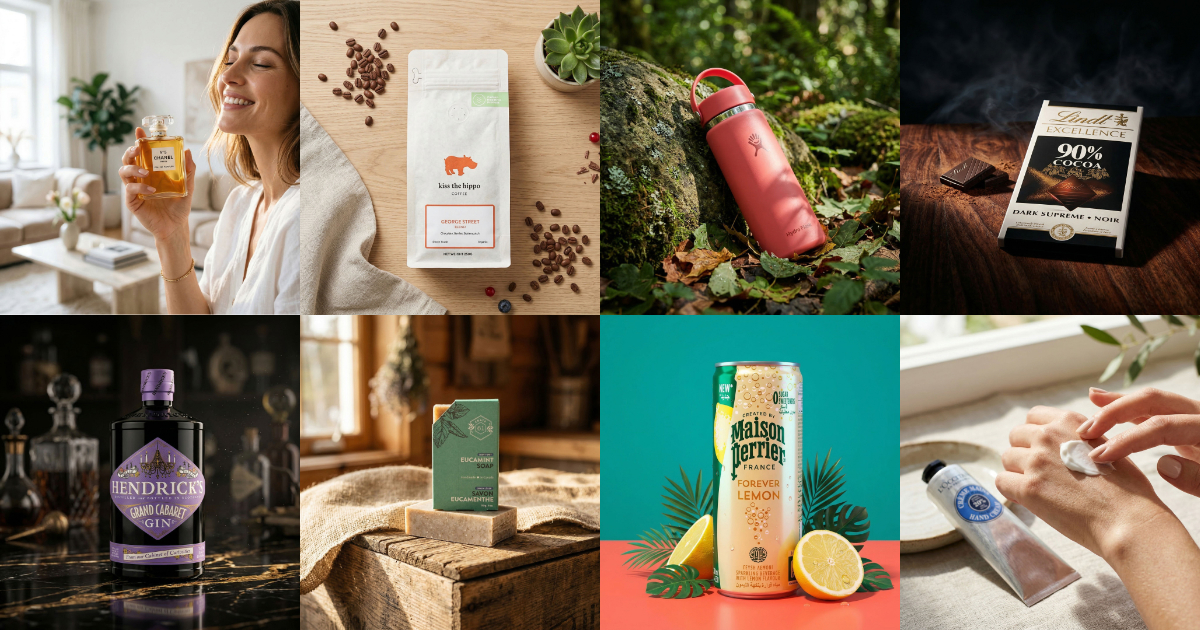
Struggling with AI product photo prompts? These 10 tested prompts generate beautiful, realistic product images every time.
The custom prompt feature in the new Pebblely is powerful, but staring at an empty text box can be paralyzing. What do you actually type?
After generating thousands of product images, we've identified the prompts that consistently produce great results. Not vague suggestions — these are specific, copy-paste-ready prompts you can use right now.
Each one works because it follows a simple principle: tell the AI where the product is, what's around it, and what the light looks like. The more concrete your description, the better your result.
The 10 prompts
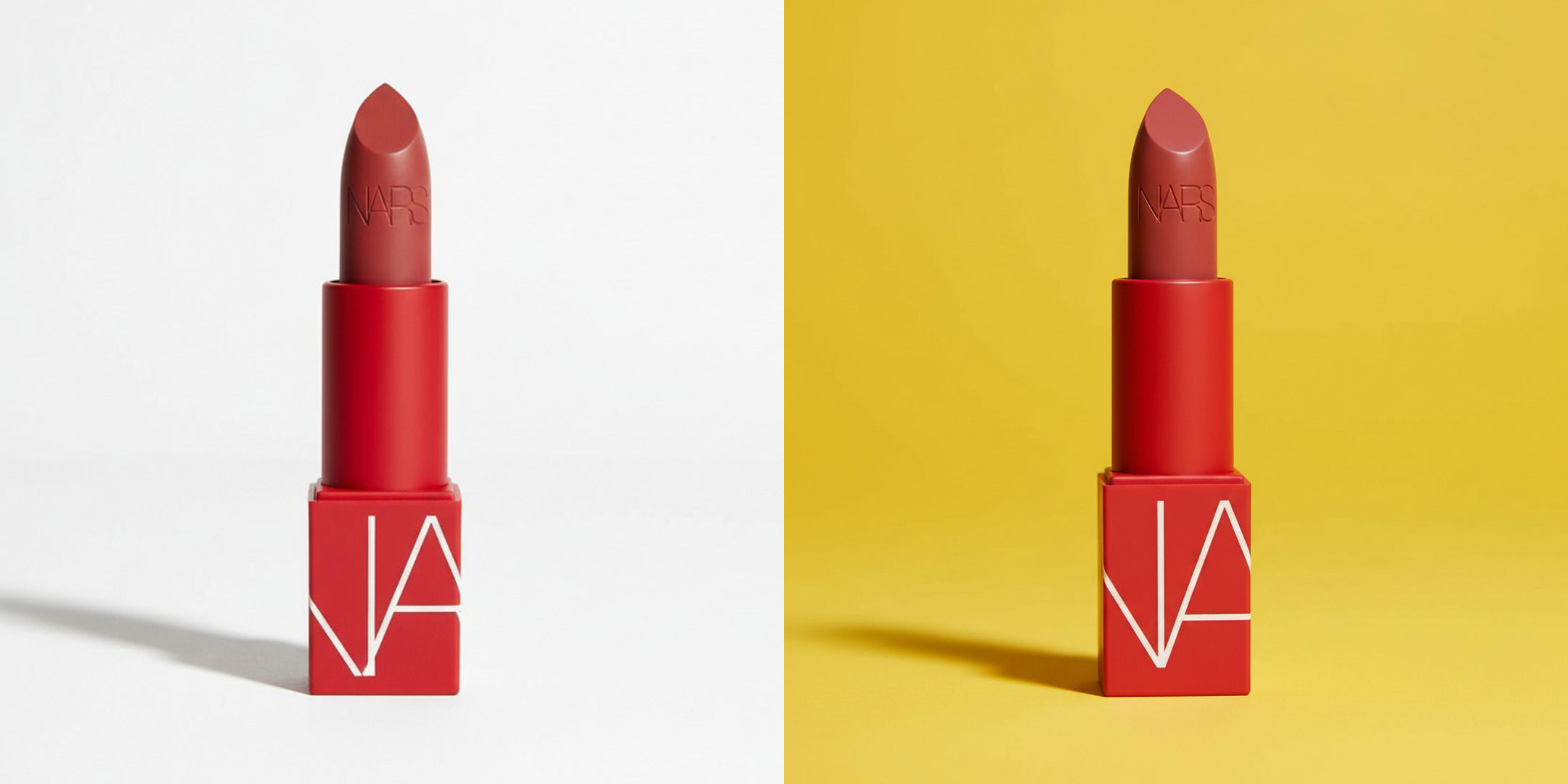
1. Minimalist studio
"Place the product on a clean white surface with soft studio lighting and a subtle shadow beneath it"
This is the workhorse prompt. It gives you a classic e-commerce look, the kind you'd see on Amazon or a brand's own product page. The key is specifying "subtle shadow," which grounds the product so it doesn't look like it's floating. Try switching out "white" for a different color!
Works well with: Almost anything. Skincare, electronics, supplements, packaged food, small appliances. If you need one safe, versatile shot, start here.
2. Holding the product
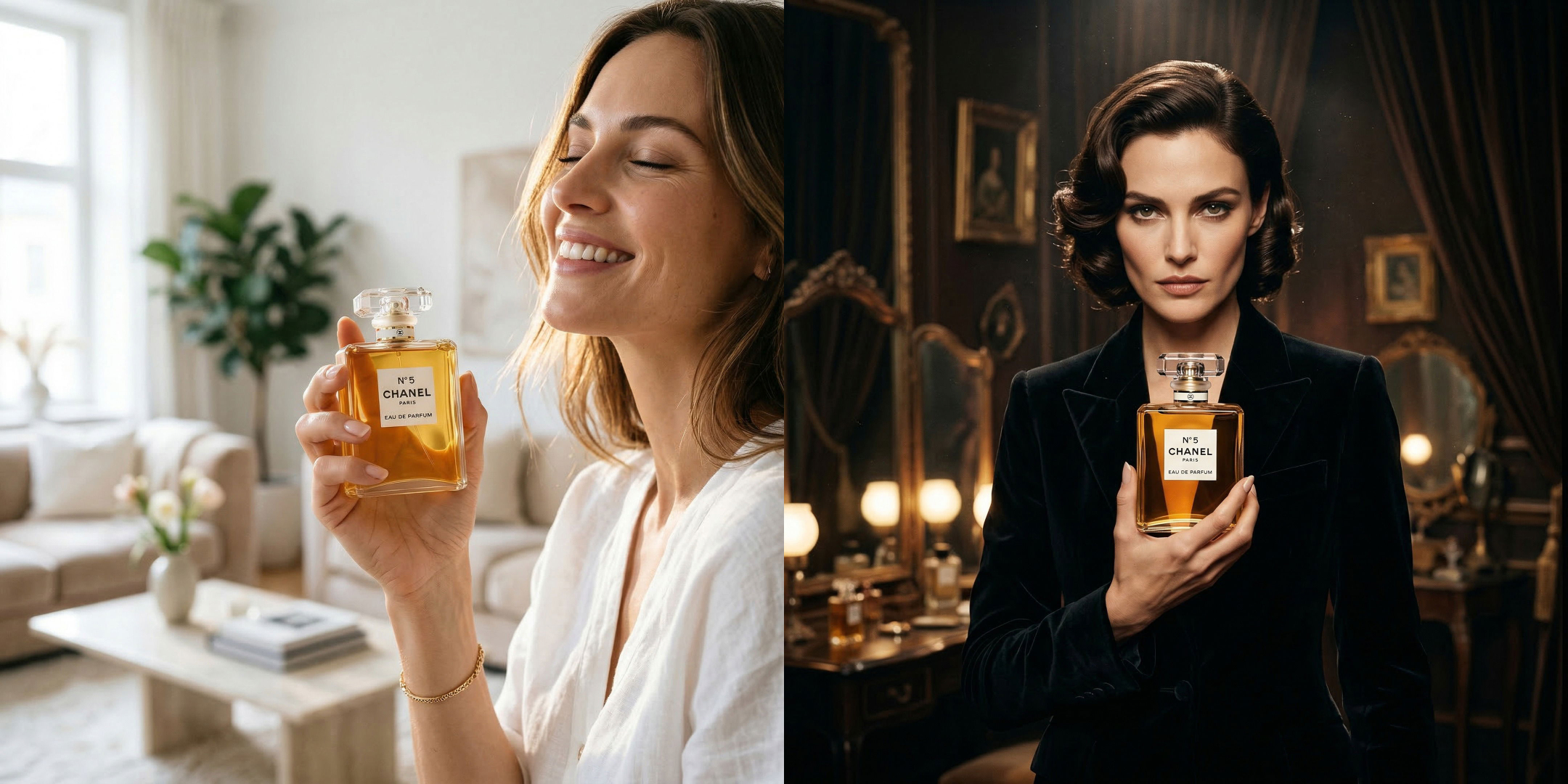
"A woman holding this product in her hand, smiling in bliss, standing in a bright, airy living room with natural window light"
This is one of the most requested types of product photo, and one of the hardest to get right without a real photoshoot. Pebblely's AI can now generate realistic people interacting with your product. Specifying the expression of the model ("smiling in bliss"), and the setting ("bright, airy living room with natural window light") keeps the result grounded.
Try varying the expression of the model and the description of the environment, for example:
"A woman holding this product in her hand, looking intensely at the camera, standing in a dark luxurious dressing room"
Works well with: Skincare bottles, beverages, perfumes, cosmetics, candles. Anything a person would naturally hold.
3. Seasonal / holiday
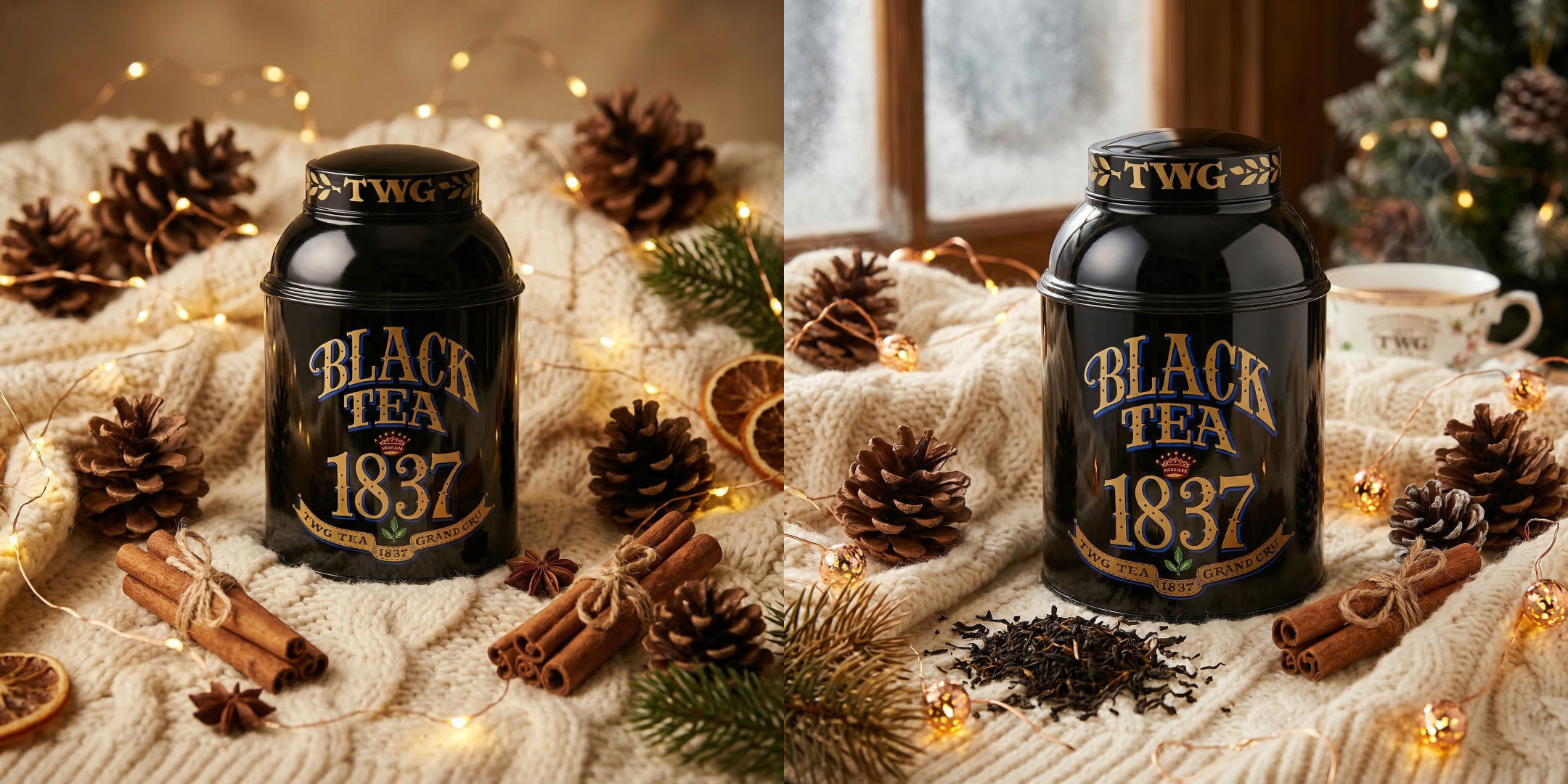
"Place the product on a cozy knitted blanket surrounded by pine cones, cinnamon sticks, and warm fairy lights, winter holiday atmosphere"
Seasonal content drives sales, but shooting it in advance is a logistical headache. This prompt captures a winter holiday mood without being tied to a specific holiday. Swap the props for spring flowers, autumn leaves, or summer beach elements to cover every season.
Works well with: Candles, teas, chocolate, skincare gift sets, fragrances, any product that makes a good gift.
4. Flat lay
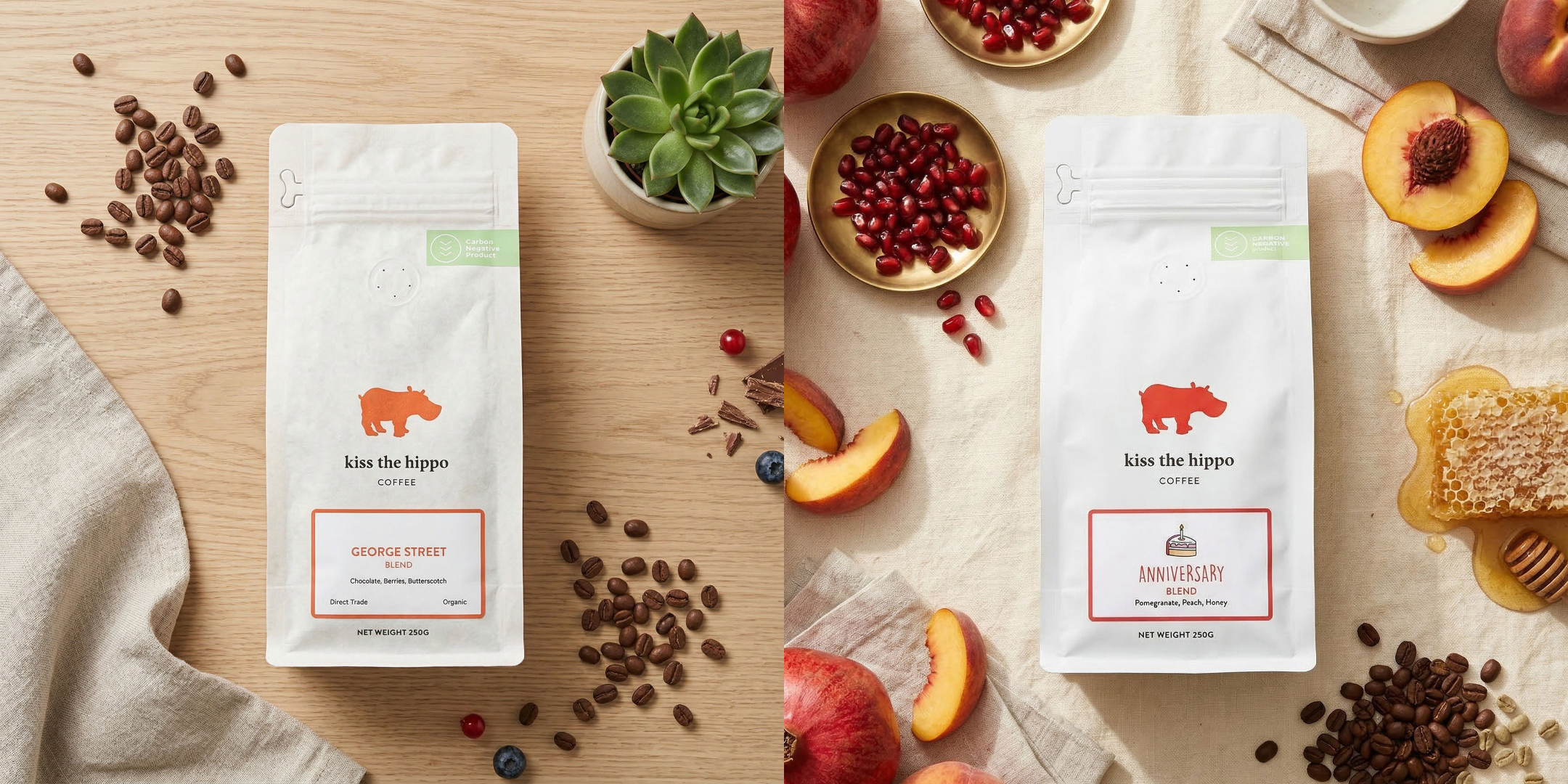
"Flat lay on a light wooden table with scattered coffee beans, a linen napkin, and a small green plant, shot from directly above"
"Flat lay shot of a product surrounded by its ingredients, a linen background, shot directly from above"
Flat lays are an Instagram staple. The trick here is "shot from directly above". It tells the AI the camera angle you want. Listing two or three specific props ("coffee beans, linen napkin, small green plant") gives the scene texture without making it cluttered.
Works well with: Coffee and tea packaging, notebooks, cosmetics, small accessories, food products, soap bars.
5. Outdoor / nature
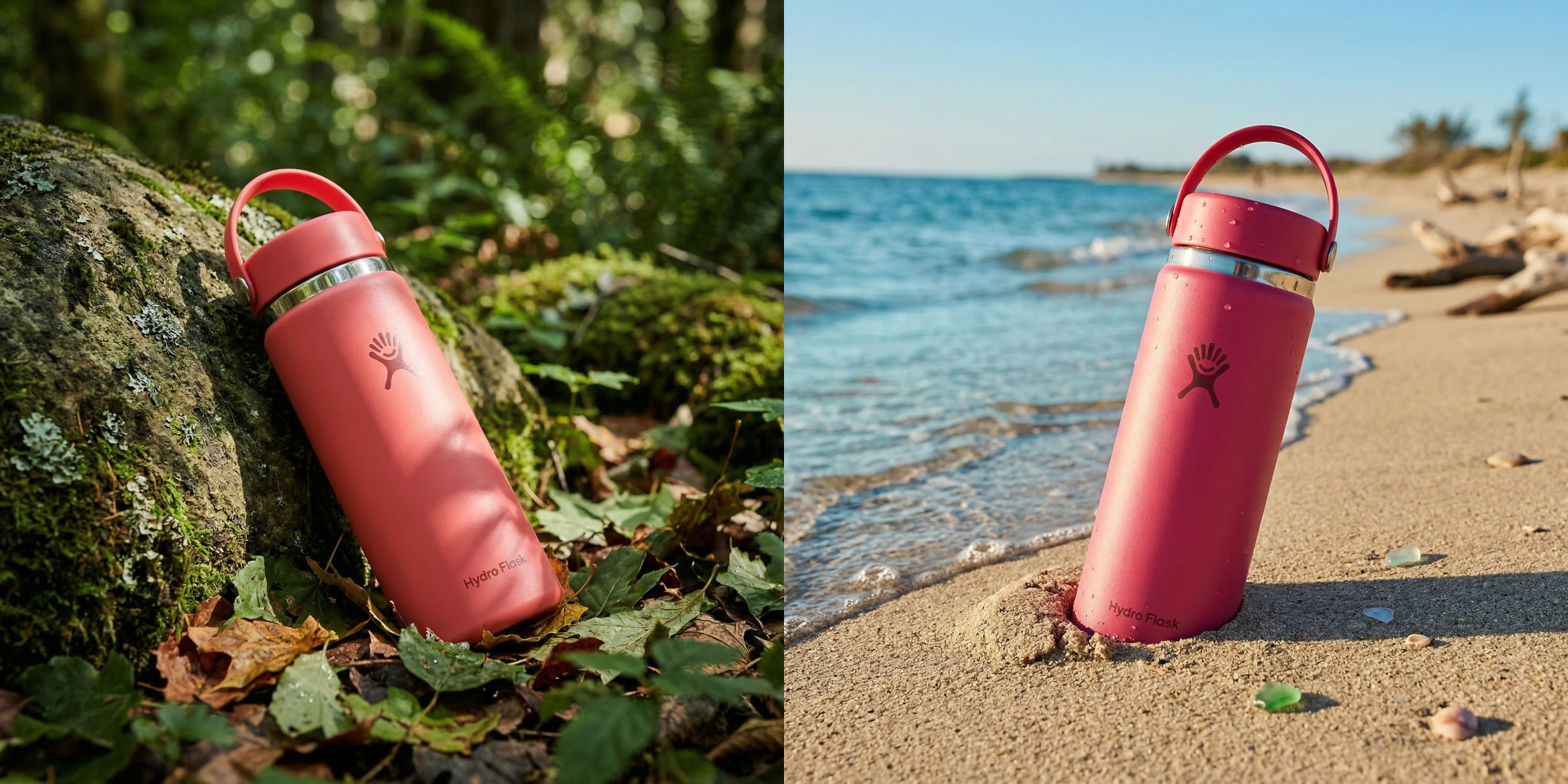
"Place this product leaning on a mossy rock in a lush forest, slightly buried by leaves, dappled sunlight filtering through the trees"
"Place this product slightly buried on a sandy beach, next to the sea, bright sunny light"
Nature backdrops communicate "natural," "organic," and "fresh" without saying it. Mentioning a specific light quality ("dappled sunlight filtering through the trees") is what separates a good result from a generic one. The AI uses this to create realistic lighting on and around the product.
Works well with: Skincare, supplements, essential oils, eco-friendly products, outdoor gear, beverages.
6. Luxury
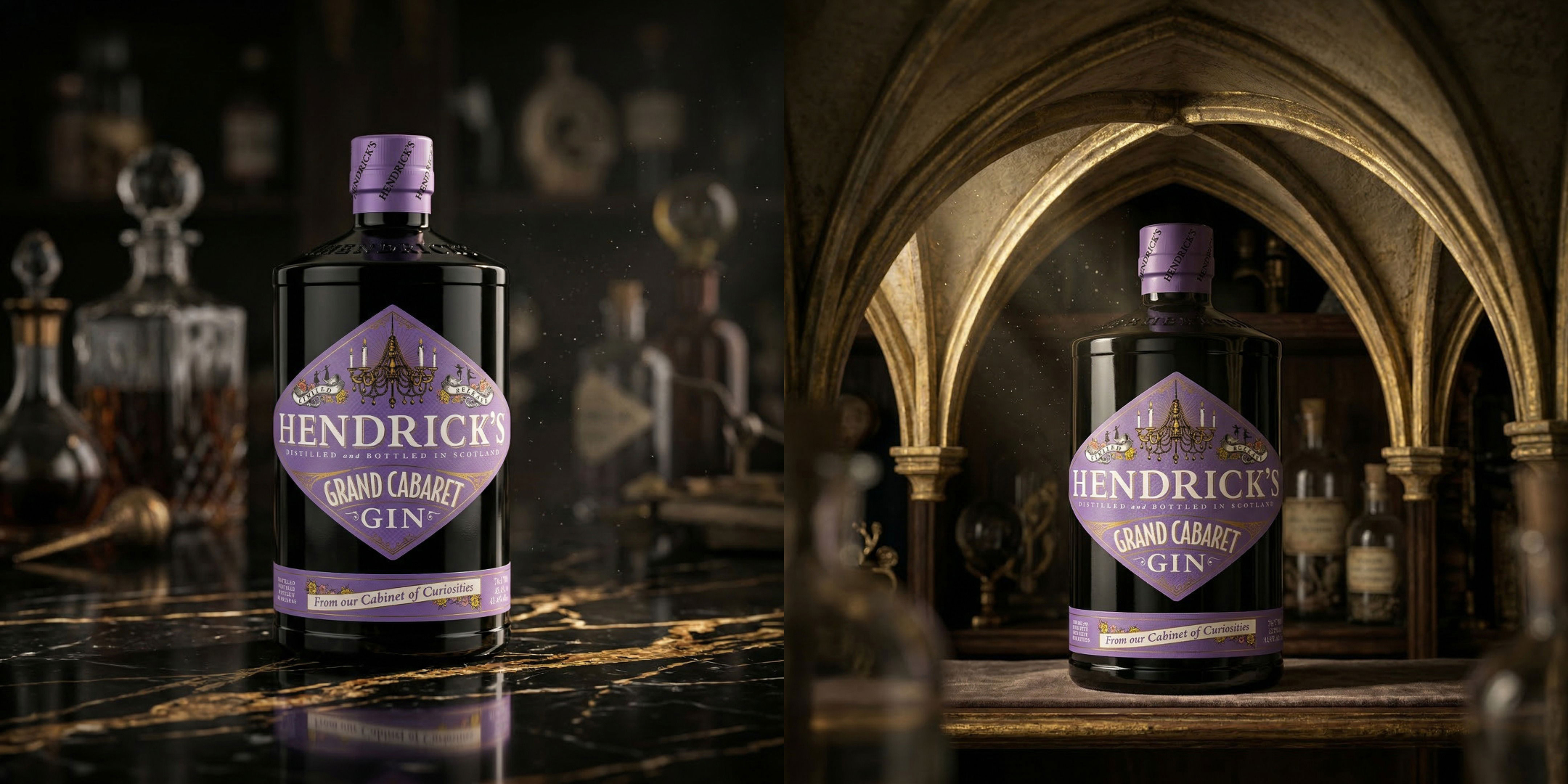
"Place this product on a dark marble surface with gold accents, soft directional lighting, and a dark blurred background"
Dark backgrounds with directional lighting instantly feel premium. Specifying "gold accents" adds warmth, and "soft directional lighting" gives the AI a clear instruction for how shadows should fall. The "dark blurred background" creates depth.
Works well with: Perfumes, watches, jewelry, premium skincare, spirits, high-end electronics.
7. Rustic / artisan
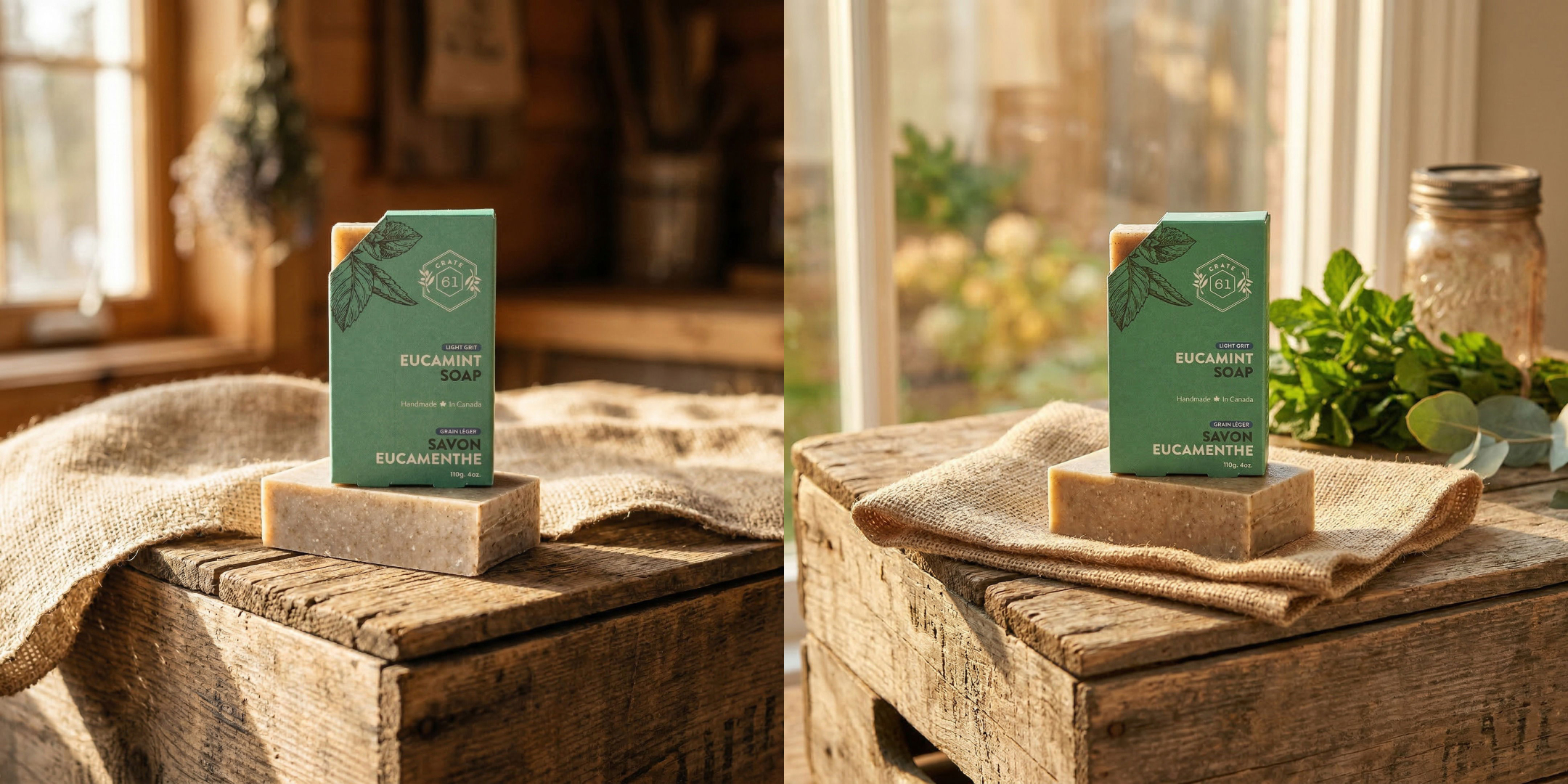
"Place the product on a weathered wooden crate with a burlap cloth, warm afternoon sunlight from a nearby window"
This prompt works because every element reinforces the same mood: handmade, natural, authentic. The "weathered wooden crate" and "burlap cloth" carry the rustic theme, while "warm afternoon sunlight from a nearby window" gives it a cozy, lived-in feel.
Works well with: Handmade soap, honey, artisan food products, candles, ceramics, small-batch skincare, craft beverages.
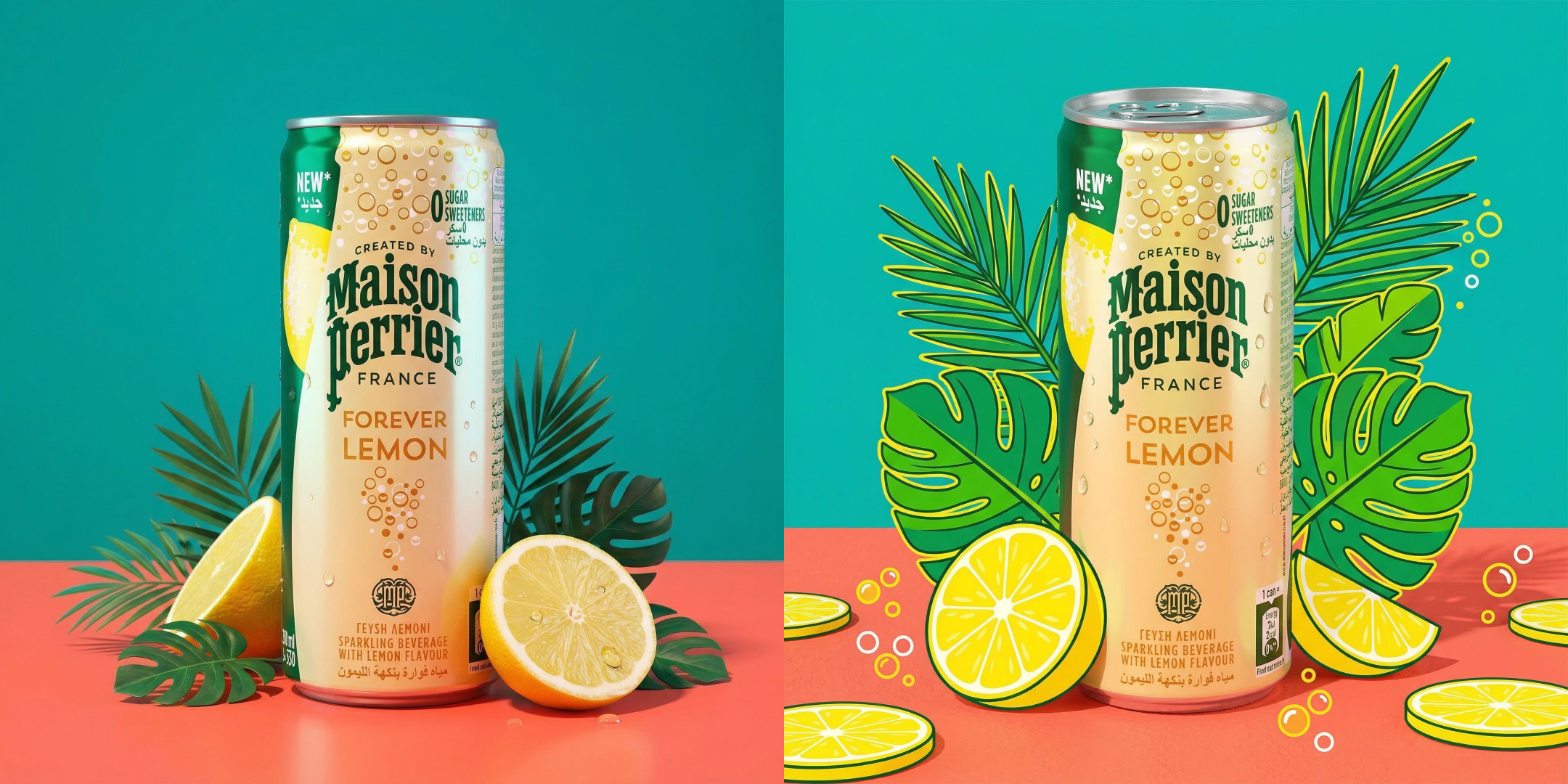
8. Colorful / vibrant
"Product on a bright coral surface against a bold teal background, with a few tropical leaves and citrus slices, vivid pop-art lighting"
Color-blocking grabs attention in social feeds. Naming specific colors ("bright coral," "bold teal") gives the AI something concrete to work with instead of a vague "colorful background." The props ("tropical leaves, citrus slices") add visual interest without competing with the product.
Works well with: Beverages, candy, cosmetics, phone cases, fashion accessories, kids' products, summer product lines.
9. Moody / dark
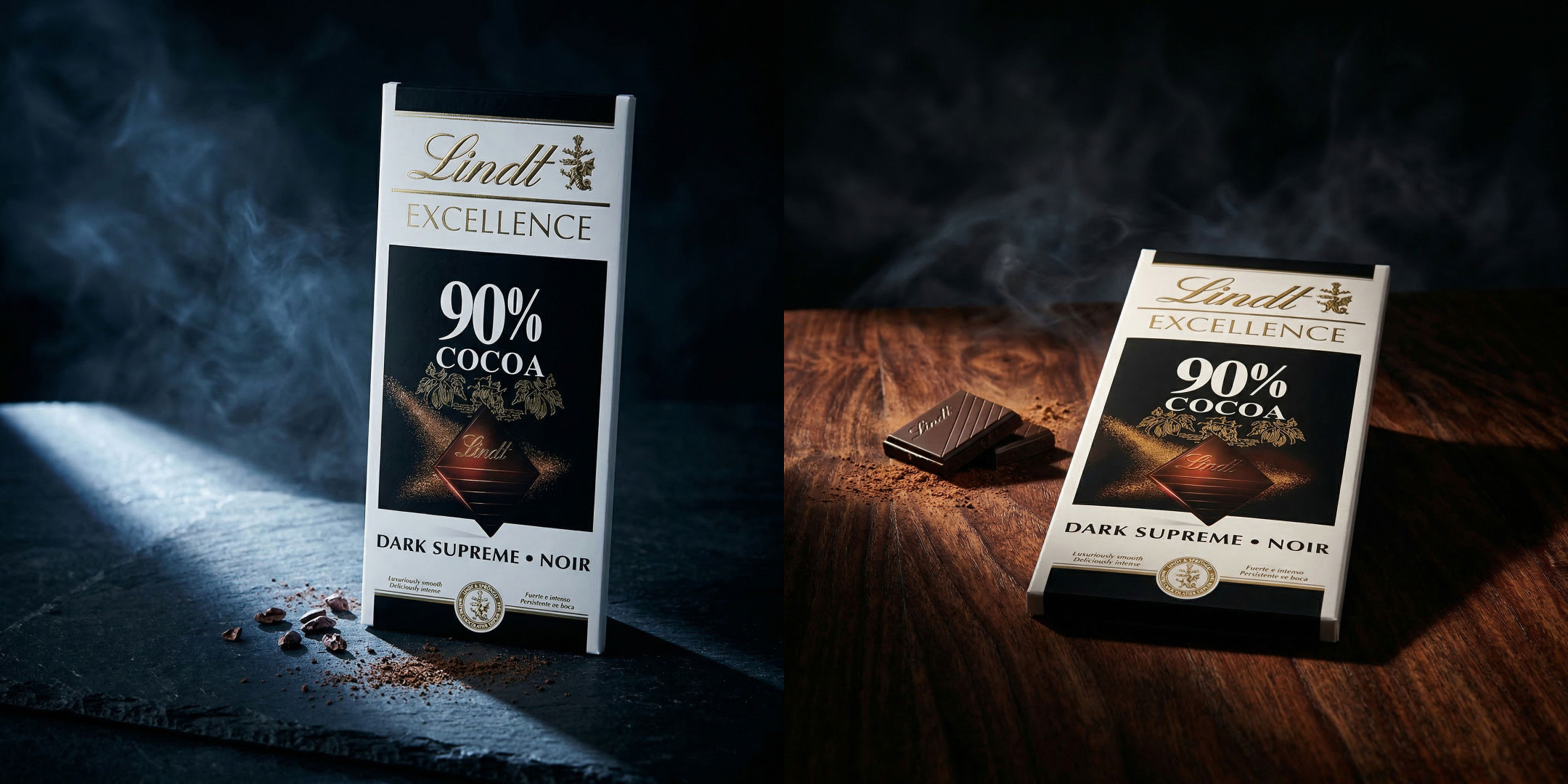
"Product on a dark slate surface with dramatic side lighting, wisps of smoke or mist in the background, deep shadows and rich contrast"
Dark and moody shots feel editorial. The "wisps of smoke or mist" add atmosphere, and "deep shadows and rich contrast" tells the AI to lean into the drama rather than brighten everything. This is the opposite of the clean e-commerce look, and it's perfect for brands that want to stand out.
Try swapping out "dark slate surface" for other surfaces like a "dark mahogany table".
Works well with: Coffee, whiskey, cologne, dark chocolate, tech gadgets, men's grooming products, supplements.
10. Lifestyle / action / in-use
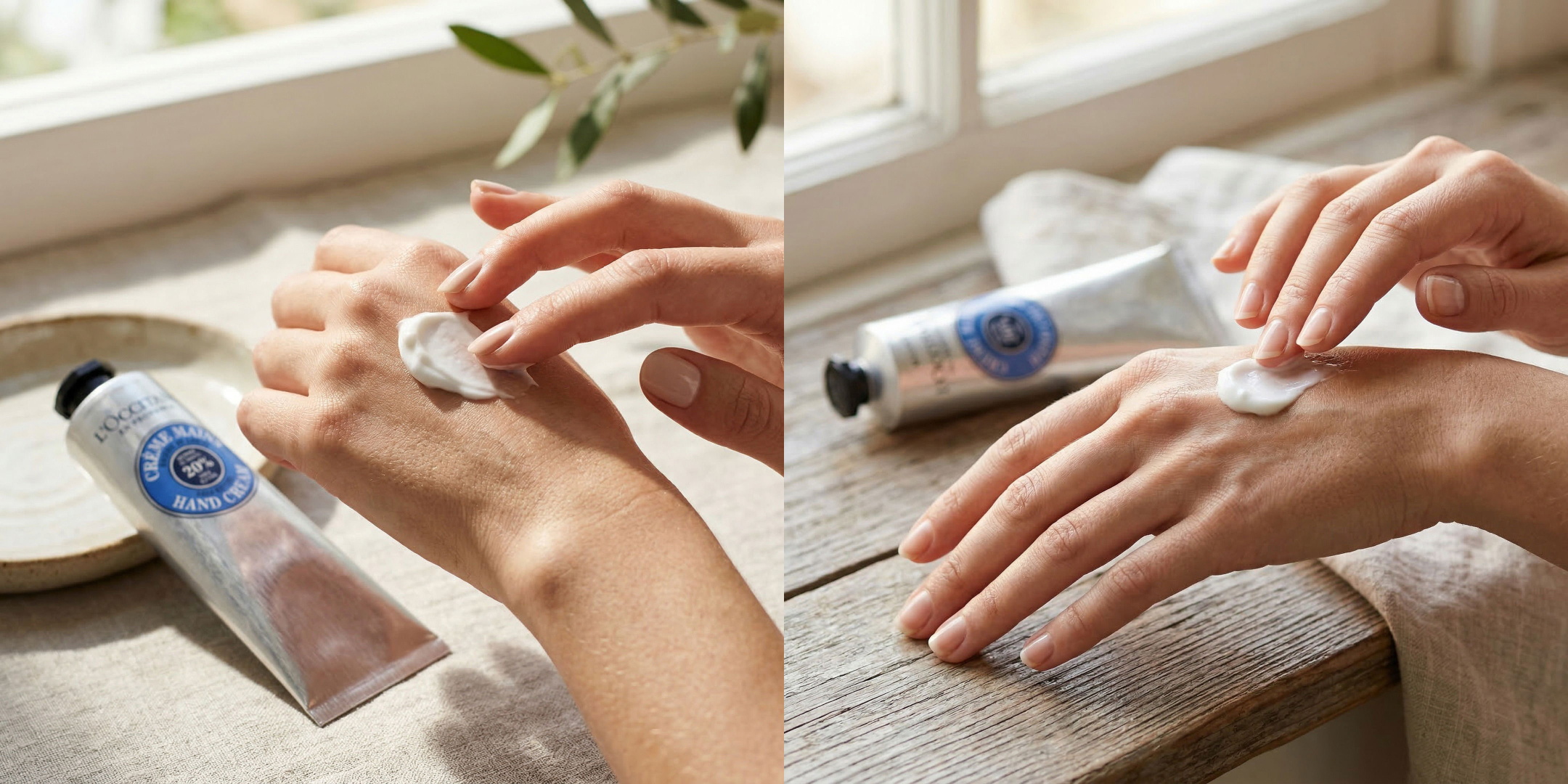
"Close-up of this cream being applied to a woman's hand, with the product sitting in the background in soft focus, natural daylight"
Showing a product in use helps customers picture themselves with it. The "close-up" framing puts the focus on the action, and the product in the background provides context without distraction. This type of shot builds trust because it shows what the experience of using the product actually looks like.
Works well with: Skincare, lotions, makeup, hair products, cleaning supplies, food items being prepared or served.
Tips for writing your own prompts
These 10 prompts are a solid starting point, but you'll eventually want to write your own. Here's what we've learned works.
Be specific about surfaces and materials
"On a table" is vague. "On a light oak table" is better. "On a scratched vintage oak table" is even better. The AI responds to material descriptions — marble, concrete, velvet, slate, linen — so use them.
Name your light source
"Good lighting" tells the AI nothing. Instead, describe where the light comes from and what quality it has: "warm golden hour sunlight from the right," "soft overhead studio light," "cool blue window light on a cloudy day." Lighting makes or breaks a photo, real or AI-generated.
Add 2-3 props, not 10
A few well-chosen props create a scene. Too many create a mess. Pick props that reinforce your product's story. Selling tea? Add a teacup, a book, and a wool blanket. Selling sunscreen? Add sunglasses and a beach towel.
Describe the mood, not just the objects
Words like "cozy," "dramatic," "airy," "minimal," and "luxurious" guide the AI's overall approach to color, contrast, and composition. Pair a mood word with concrete details for the best results.
Iterate
Your first generation might not be perfect. Try small tweaks! Change the surface, adjust the lighting direction, swap a prop.
If you prefer not to write prompts at all, Pebblely also offers 40+ templates that work with a single click. But for those times when you have a specific vision, a good prompt gets you there fast.
Start generating
Every prompt on this page works in Pebblely right now. Upload a product photo, paste in a prompt, and hit Create.
Try Pebblely now or check out the plans and pricing to see which one fits your needs. You can also browse the gallery for more inspiration, or visit the how-to guide if you want a walkthrough.
Good prompts turn a good AI tool into a great one. Now you have 10 of them.
Keep learning
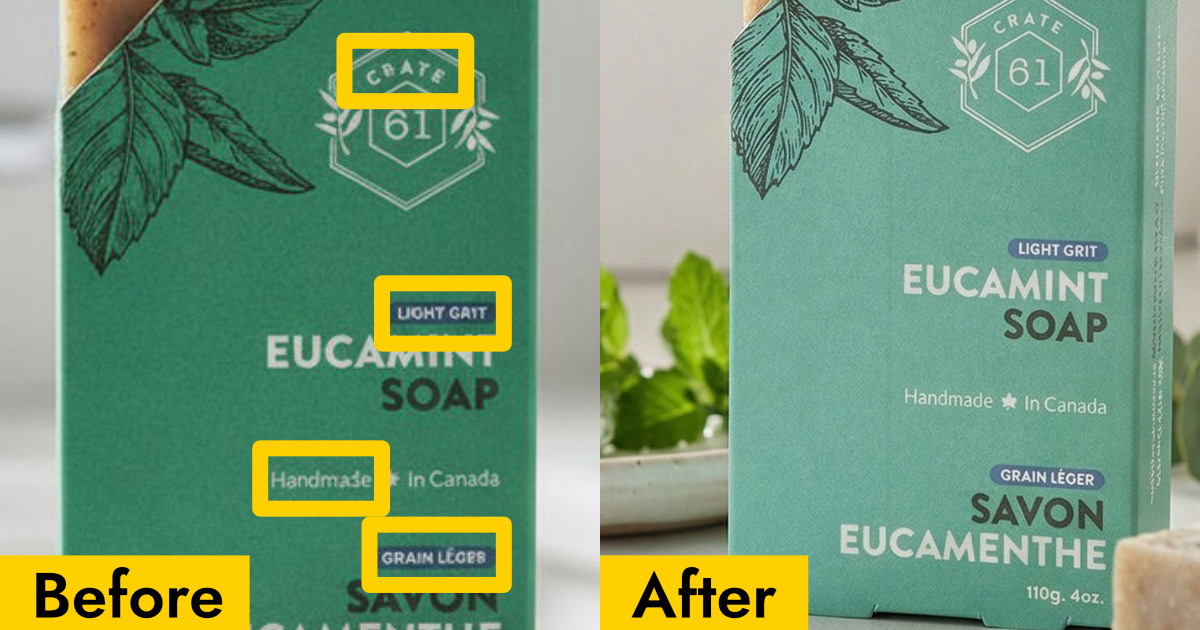
Why Your AI Product Photos Keep Getting the Text Wrong (and How to Fix It)
AI image generators often garble text on products. Learn how Pebblely automatically extracts and preserves text on labels, packaging, and branding.
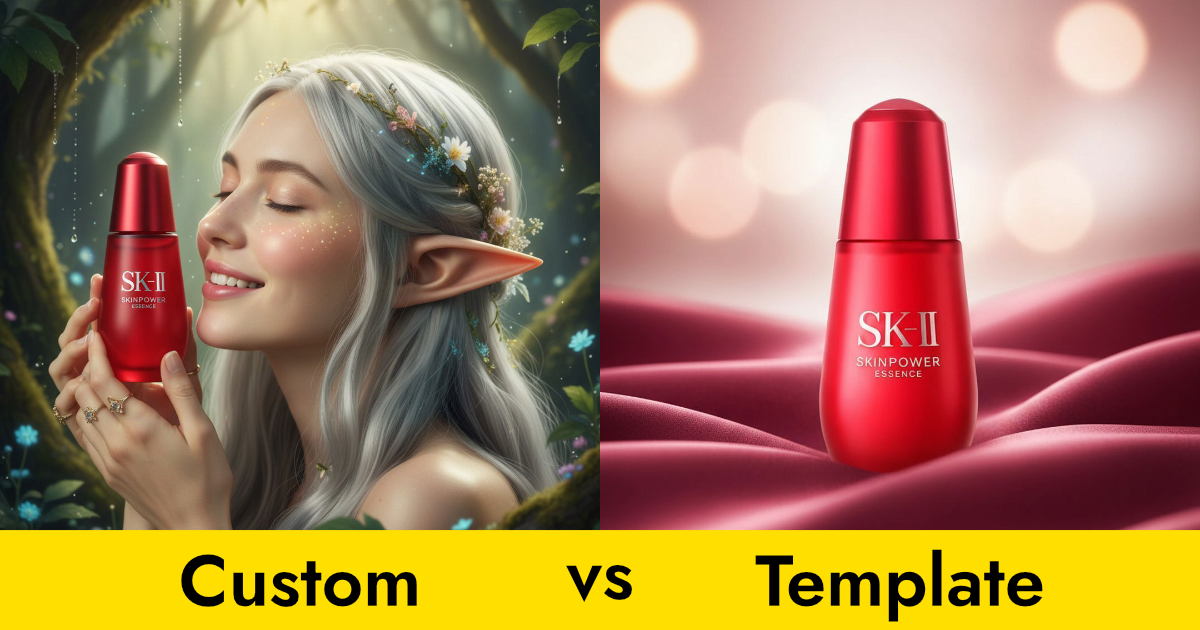
Custom Prompts vs Templates: Which Should You Use?
Pebblely offers two ways to generate product photos: templates and custom prompts. Here's when to use each for the best results.
How to Create Gorgeous Product Photos in 3 Steps
Learn how to create stunning AI product photos with Pebblely in just 3 steps: add your product, generate, and download. No photoshoot needed.